


What if every seasonal campaign in your Shopify store felt like a personal celebration for each customer? Like many store owners, you are always looking for ways to improve seasonal sales on Shopify. During the busiest shopping seasons like Black Friday, Halloween, or Valentine’s Day, imagine if shoppers could customize products with names, photos and heartfelt notes instead of just grabbing generic deals – they would feel truly valued and you would secure a more profitable revenue stream.
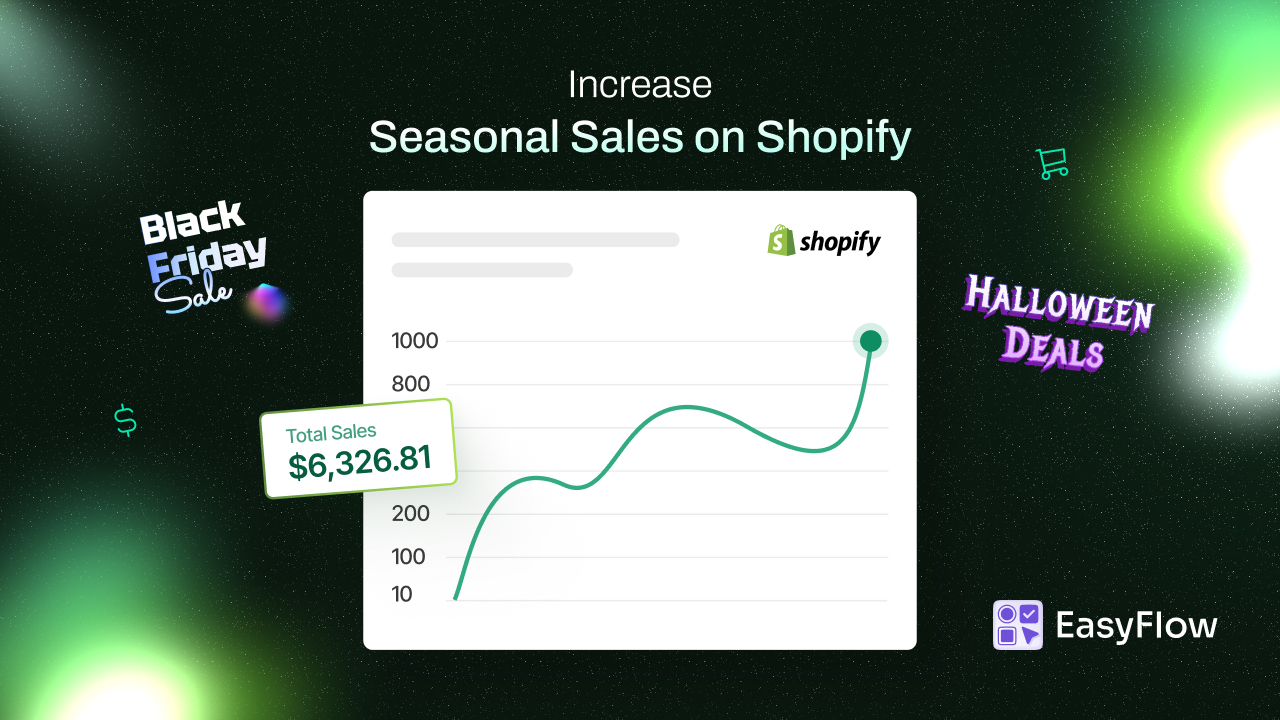
Wondering how to make this happen? In this guide, we will explore how to use product personalization and custom options to captivate holiday shoppers, boost seasonal promotions and inspire long-term loyalty – while keeping everything simple to manage.
💡 Why Personalization Can Improve Seasonal Sales on Shopify Stores
Seasonal sales periods (from winter holidays to spring events) flood customers with similar discounts and products. Offering personalization is a savvy way to stand out and improve seasonal sales on Shopify stores. Why? Because shoppers value products more when they can add their own touch. Behavioral research calls it the IKEA effect – people place higher worth on items they help create.
That means if a customer customizes a gift (say, engraves a name or selects a unique design), they feel a stronger attachment to it and are more likely to complete the purchase.
Personalized products are also harder to compare to anything else, since no two customized gifts are exactly alike. It reduces comparison shopping and boosts satisfaction. During big seasonal promotions like Black Friday, this uniqueness can invite shoppers to come visit your store.
Moreover, the emotional appeal is huge: adding a “Happy Anniversary” engraving or a “Merry Christmas, Mom” note turns a product into a cherished memory. Customers love sharing these one-of-a-kind finds on social media, which means free holiday marketing for you and faster loyalty growth than any generic discount could achieve.
From a pure sales perspective, product personalization leads to higher average order value and conversion rates. Many shoppers will gladly pay a little extra for special touches – whether it is premium gift wrapping or an engraved message – because the product feels unique to them.
🎨 How Product Options Power Seasonal Personalization
With Shopify’s basic setup, you cannot often offer unlimited variants or complex inputs out of the box. The good news is that custom product options apps can easily bridge this gap by letting you add all kinds of choices to products without touching code.
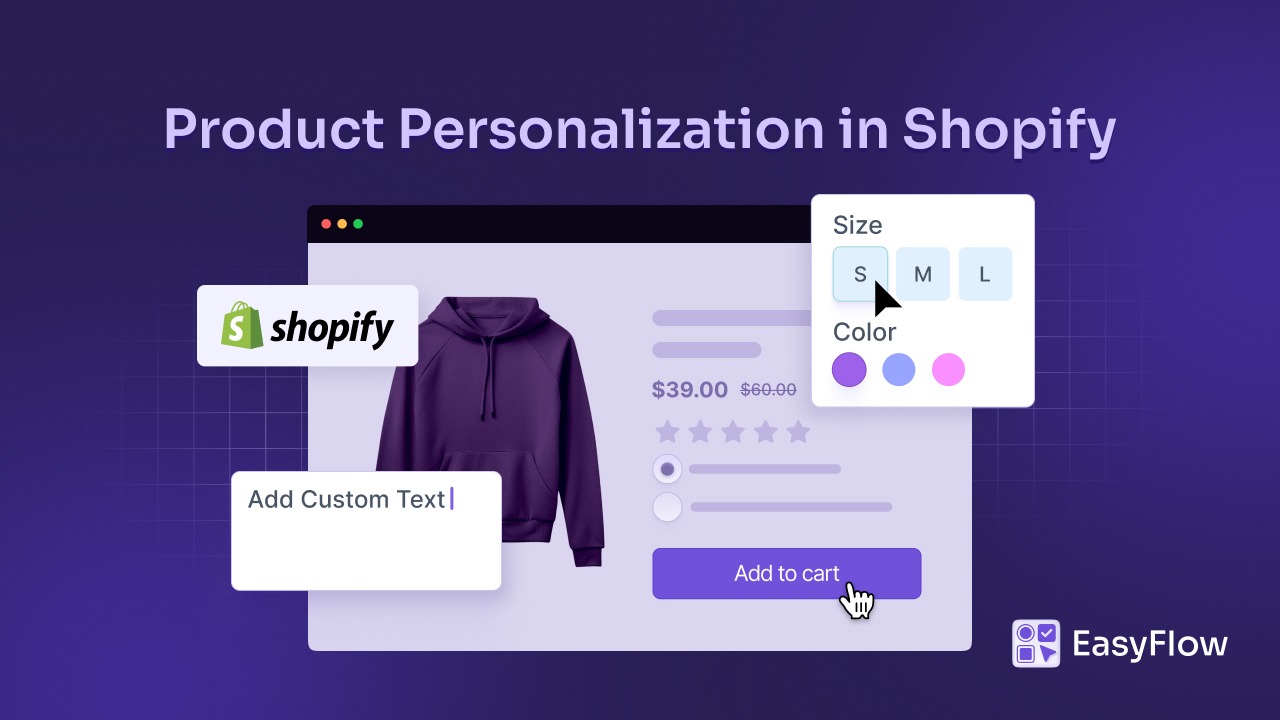
This is the engine behind our strategy to improve seasonal sales on Shopify stores through personalization. With the right tool, you can let shoppers select options like image swatches, enter custom text, upload files, choose add-on items and more.
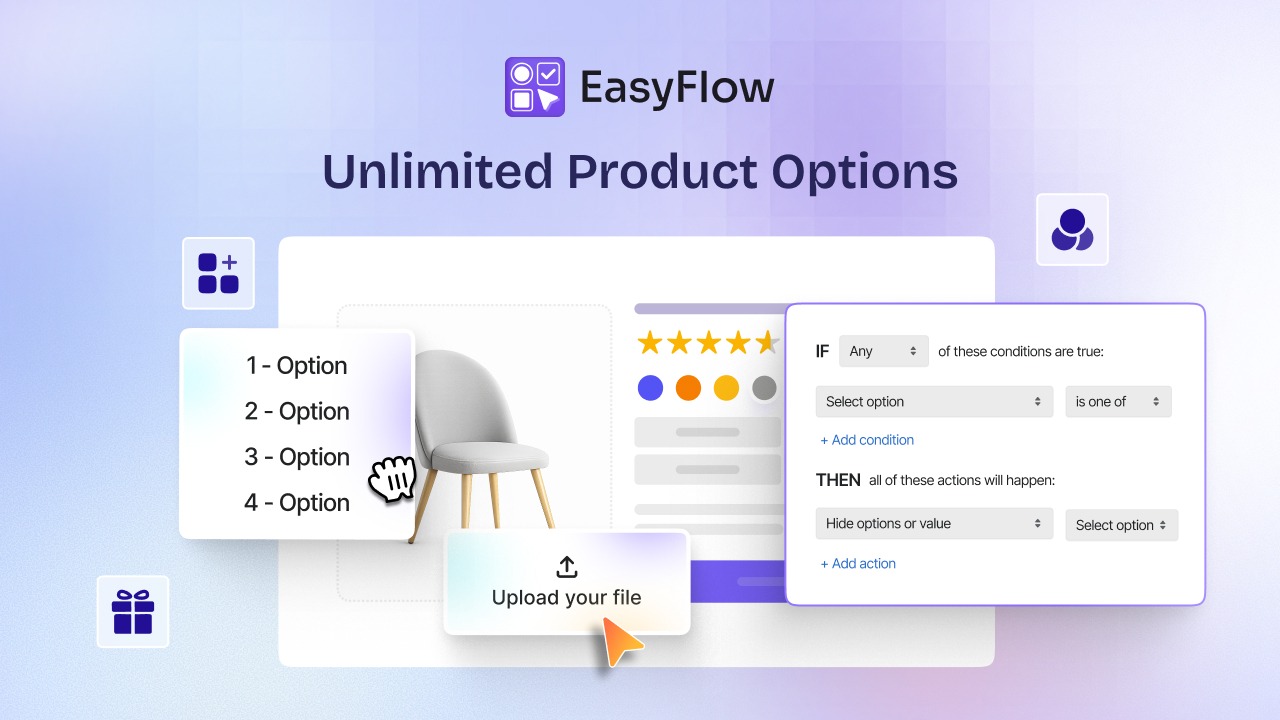
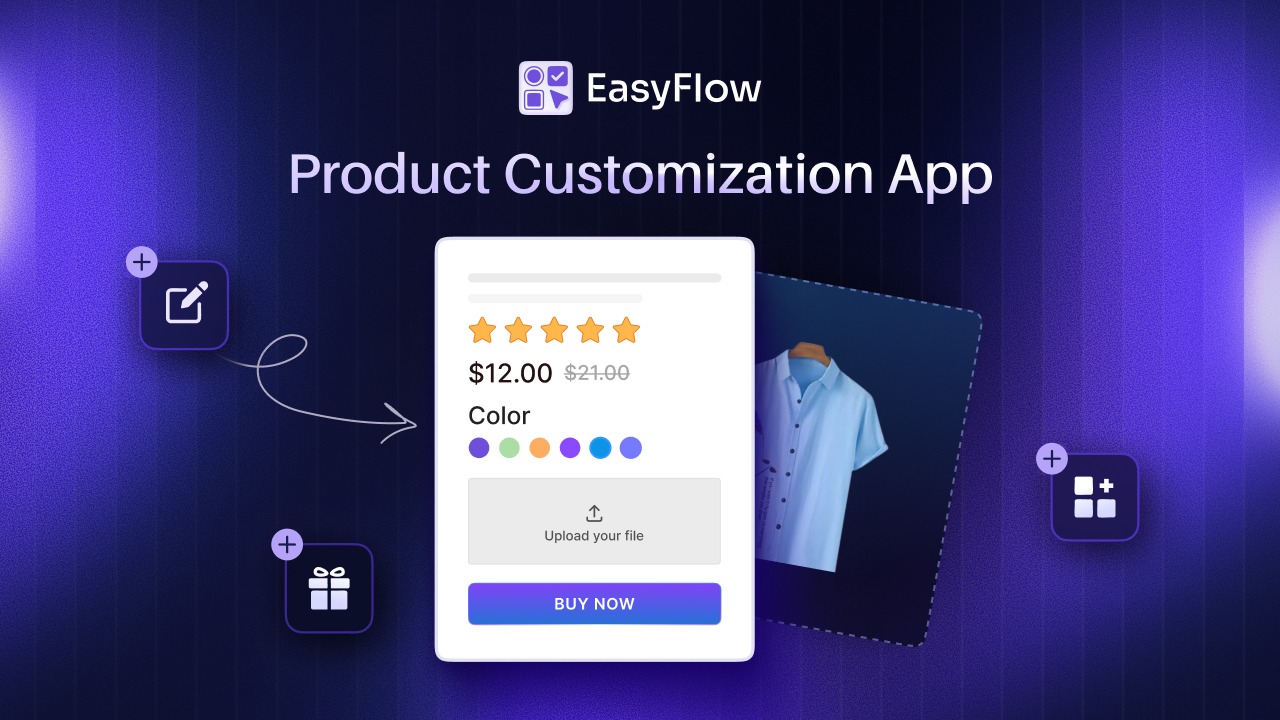
That is where a solution like EasyFlow comes in. It is a Shopify app purpose-built for Shopify product personalization and upselling. It allows you to customize a product with different options such as text boxes, dropdowns, checkboxes, file upload buttons and even image swatches for visual choices. You can mix and match option types to fit any seasonal campaign – think gift message fields, “bundle add-on” checkboxes, or color swatch selectors for holiday-themed styles.
Plus, a Shopify product options app like this ensures a user-friendly experience during busy seasonal promotions when every detail counts. Features like conditional logic mean you can show or hide options based on what the customer selects. For example, if a shopper ticks “This is a gift”, only then does a text box for a gift note appear (and stays hidden otherwise).
You can also attach add-on pricing to certain options easily. Want to charge $5 for engraving or offer gift wrapping for an extra fee? No problem – the app will update the price live when customers select those extras, so there are no surprises.
🛍️ Seasonal Personalization Strategies & Tips to Boost Sales
Every season comes with unique customer mindsets and opportunities to grow. By tailoring your product options to each occasion, you can create memorable shopping moments and upselling opportunities that improve seasonal sales on Shopify stores. Here are some season-focused strategic ideas on how personalization can play a part.
🎁 Black Friday & Cyber Monday – Bundle Up & Upsell
Black Friday and Cyber Monday shoppers are hunting for deals, but that does not mean they will not spend more if you present value in the right way. Instead of just slashing prices, you can use upselling via product options to increase each order amount.
💡 Sample Ideas
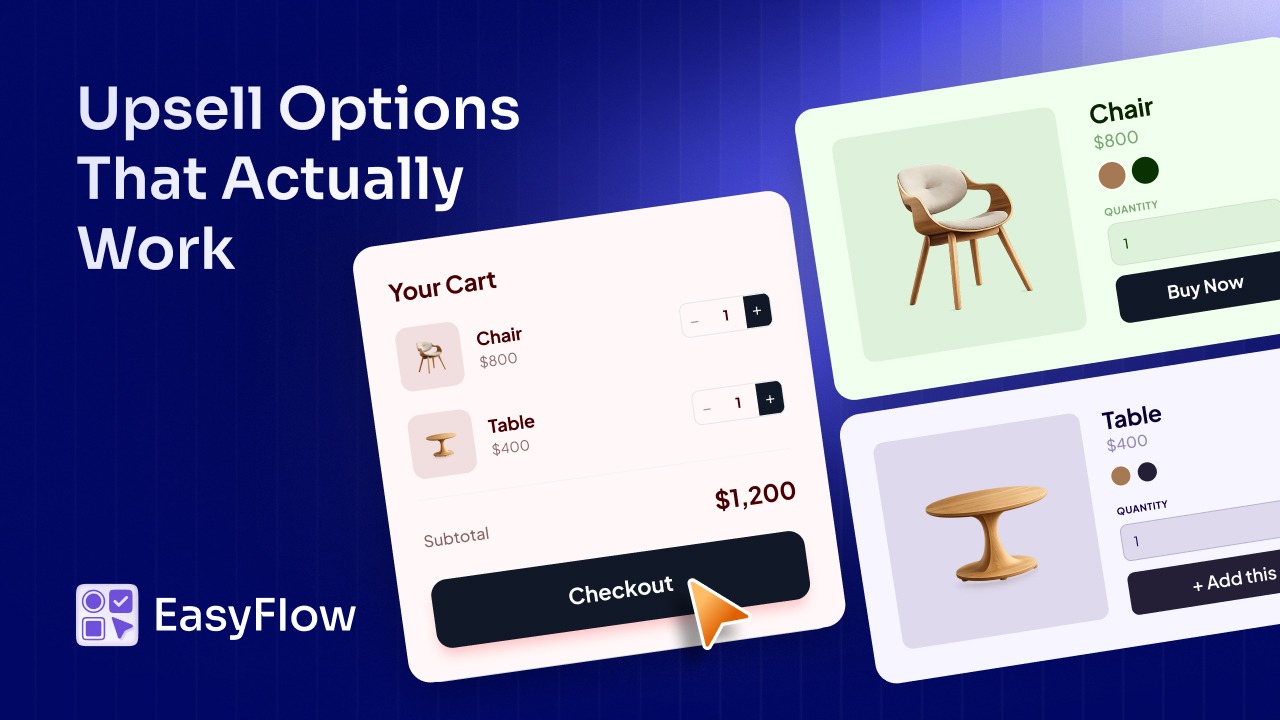
Create a bundle option on product pages: for example, a checkbox that says “Add a matching accessory at 20% OFF.” With a custom product option, you can attach an add-on item (like a scarf to go with a jacket, or an extra game controller with a console) that users can include with one click.
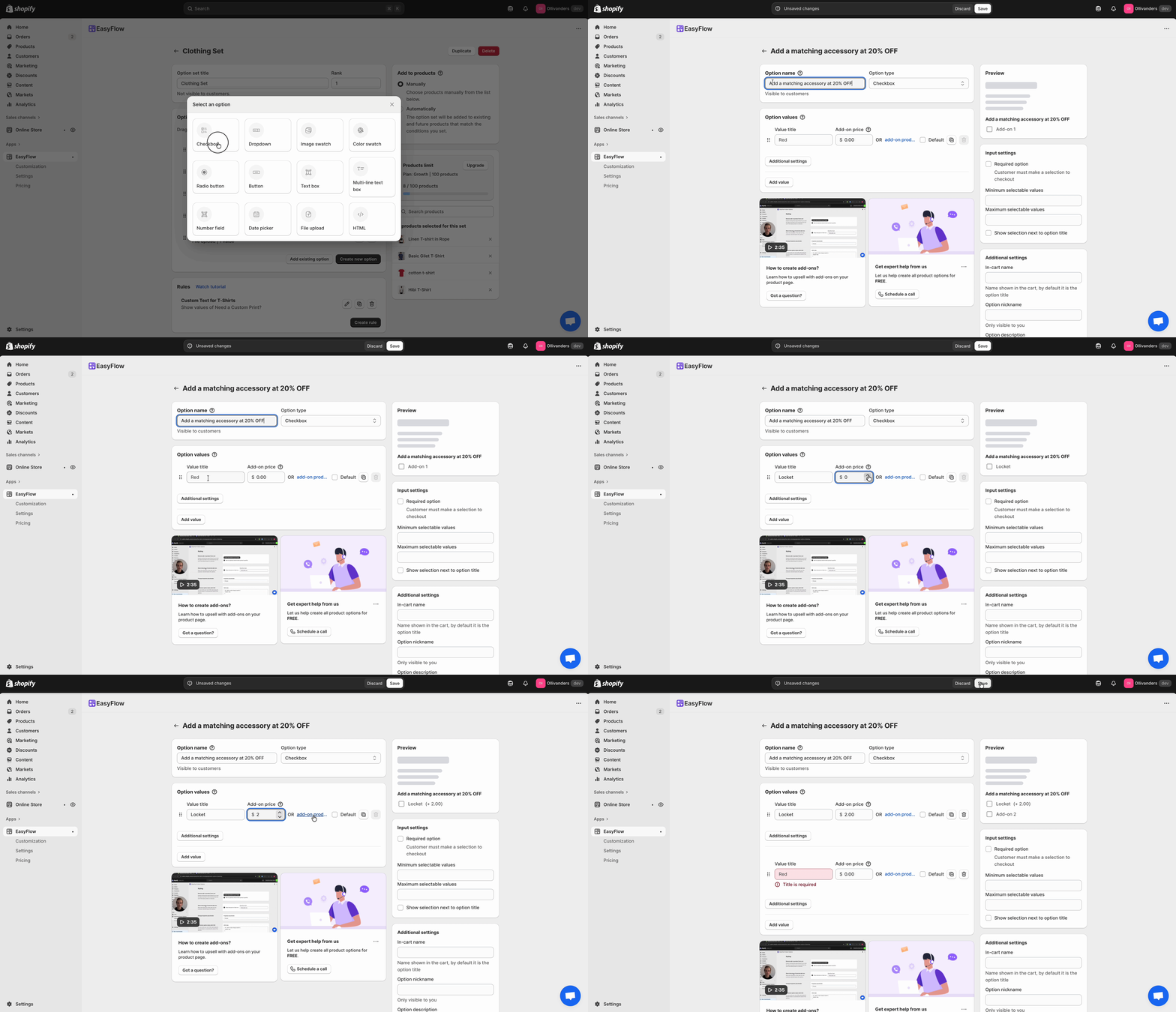
EasyFlow makes this simple by letting you add such a checkbox or dropdown option with pricing rules, so the bundle discount or add-on fee is calculated automatically. The result? Shoppers feel they got a bonus and you boost seasonal sales without needing them to browse separate products.
🎄 Holiday Gifts (Christmas & Year-End) – Make It Personal And Festive
The winter holiday season is all about gifting and emotion. Shoppers are more likely to buy when they can customize a gift to be uniquely meaningful. This could be your chance to shine with Shopify product personalization that turns a generic item into “the perfect present.”
💡 Sample Ideas
If you sell jewelry, you could add a text field option for customers to engrave a name or date on the piece (and consider a small add-on price for this premium touch). If you offer mugs, pillows, or phone cases, include a file upload option so shoppers can upload their own design.
🎃 Halloween & Seasonal Themes – Limited Editions And Fun Customizations
Not all seasonal sales are about heartfelt gifts; some are about excitement and novelty. Events like Halloween (or even summer and spring seasons) are chances to offer themed, limited-time custom options that prompt urgency and engagement.
💡 Sample Ideas
If you sell clothing or accessories, you could let customers choose a special Halloween design or icon to add via an image swatch or checkbox (for example, a little ghost graphic on a t-shirt, or an option to engrave a pumpkin emoji on a keychain).
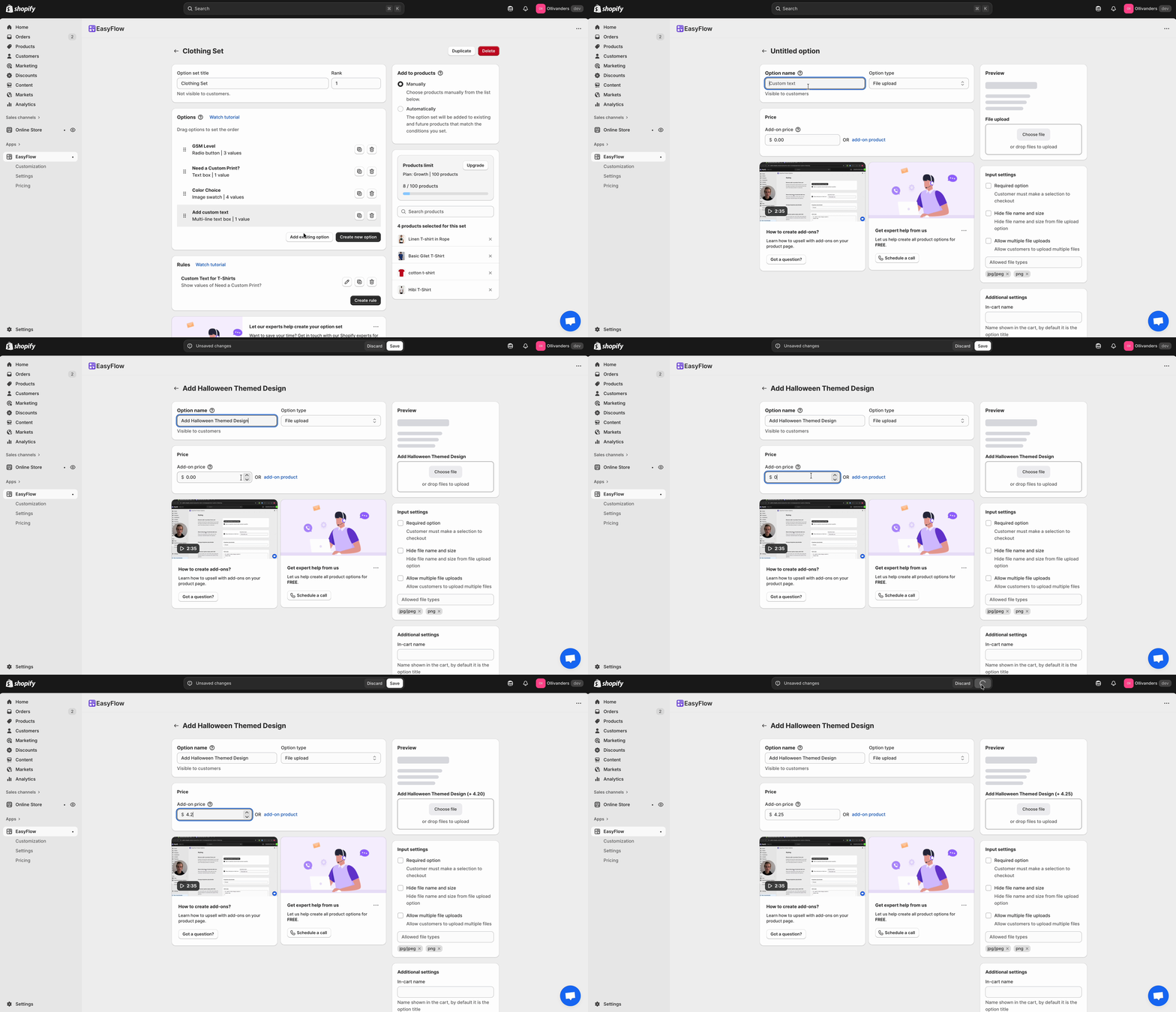
Using custom product options, you do not need to create a separate product for each variant – just offer a toggle or selection for the Halloween edition on the existing product page. This makes it simple for you to manage and for customers to select.
These options create a sense of exclusivity (available only this season!) and interactivity that can dramatically improve seasonal sales on Shopify stores by enticing customers to buy now, before the moment passes.
💘 Valentine’s Day & Anniversaries – Sell the Story, Not Just the Product
Valentine’s and anniversaries are peak times for emotional purchases. Customers are not just buying an item; they are buying a story or sentiment to share with a loved one. During these seasons, you can utilize the “aww” factor that can boost seasonal sales.
💡 Sample Ideas
Using the custom text option on jewelry, keychains, photo frames, etc, you can ask customers to engrave their partner’s name or the date they met. This simple text box, powered by your product options app, transforms a standard necklace into a treasure.
[Pro tip: Use add-on pricing if appropriate (for example, charge extra for a deluxe gift box or a longer message engraving) and clearly communicate it. Customers seeking a perfect Valentine’s gift often do not mind a small premium for something truly special.]
📝 Adding Custom Product Options with EasyFlow: A Quick How-To Guide
Let us briefly look at how to implement these ideas using EasyFlow. The process is refreshingly simple – just a few clicks to set up your first personalized product. Here is a quick workflow to add an option for, say, a holiday gift message and an image upload to a product:
Step 1: Create an Option Set
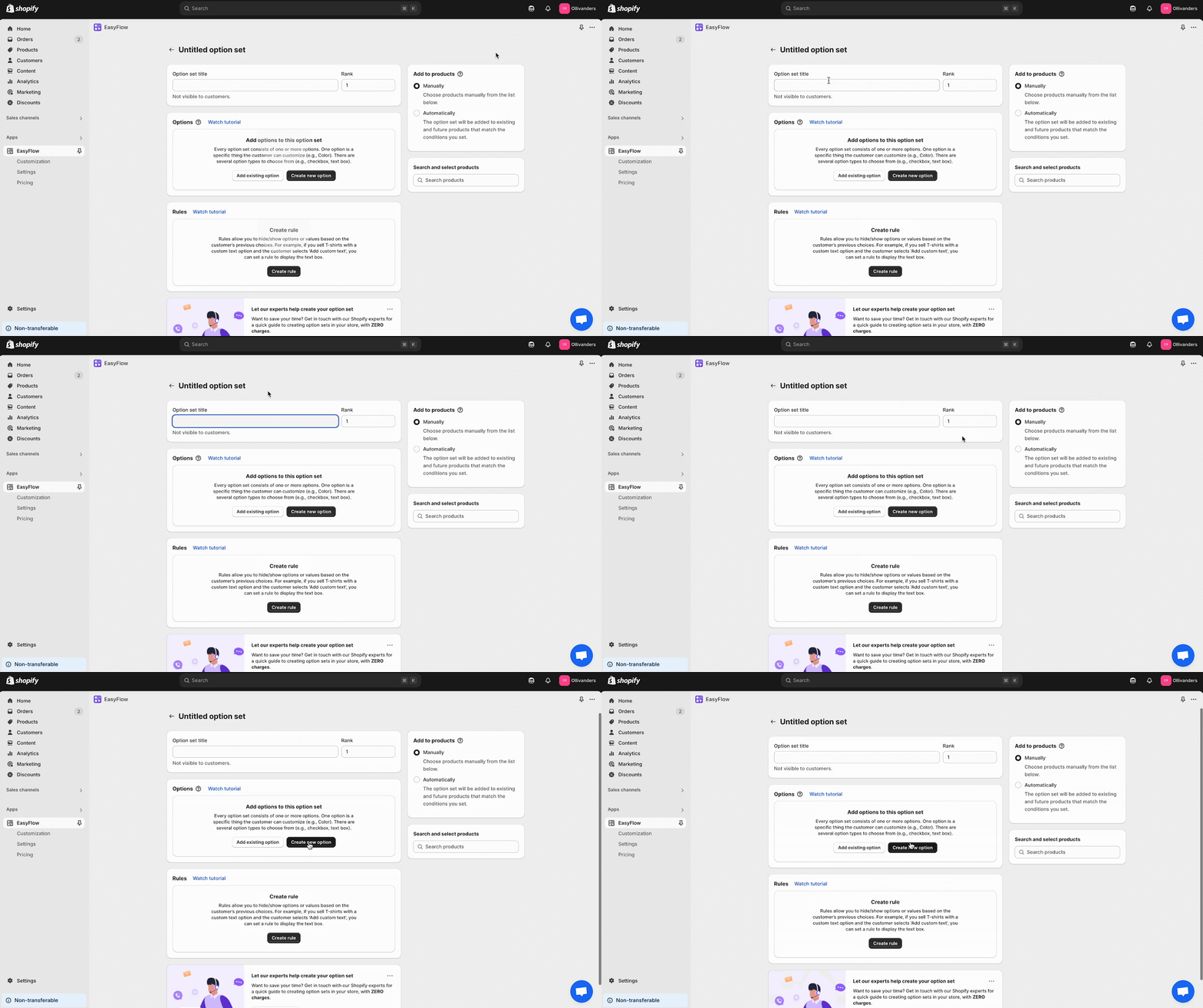
In EasyFlow’s dashboard, start by creating an option set. For a seasonal example, you might name it “Holiday Gift Options”. Within this set, add your first option. For example, choose a Checkbox and label it “Add a gift message?” You can set this checkbox to use conditional logic so that when checked, it will reveal the message field.
Step 2: Add a Text Field And Other Options
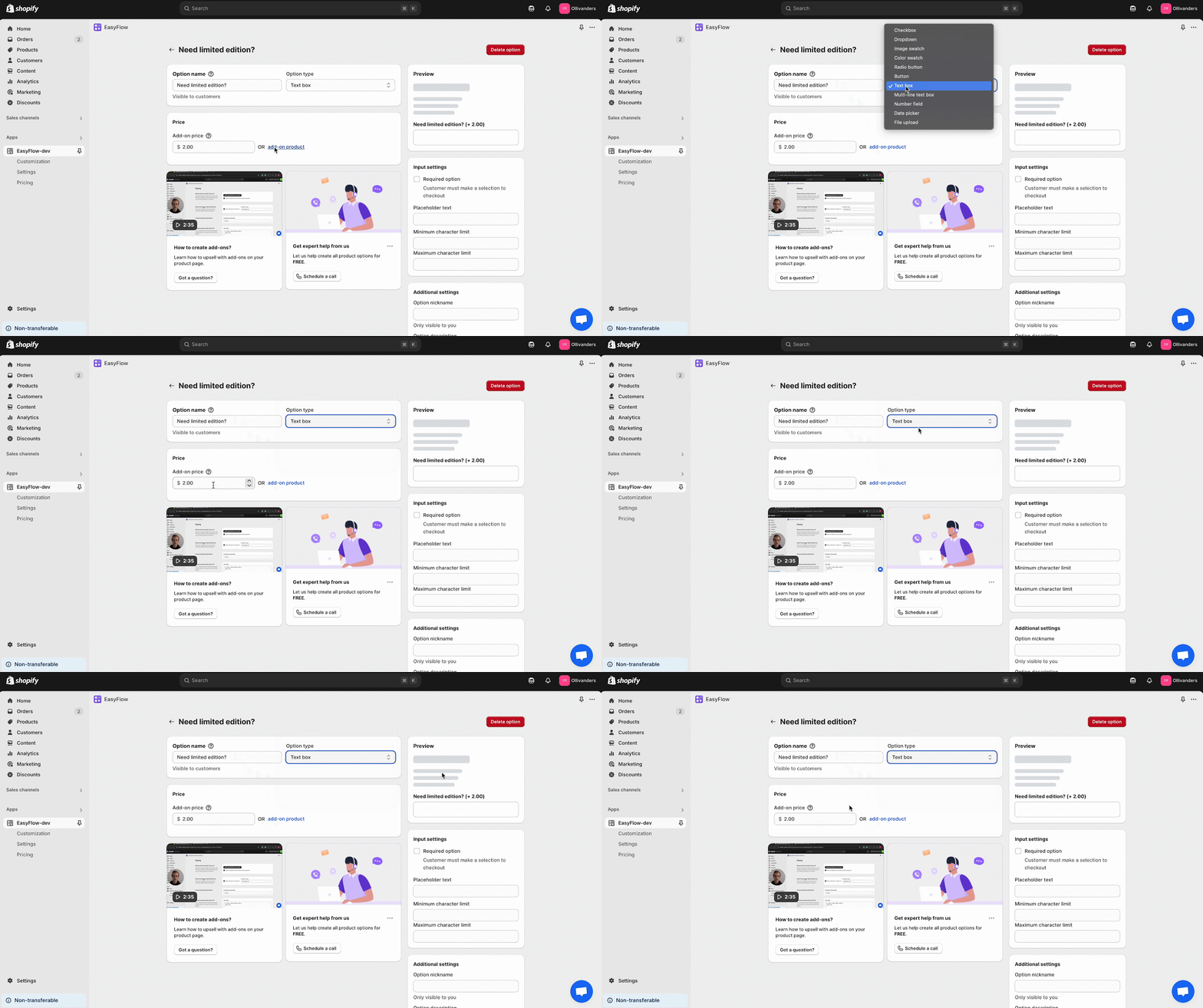
Next, add a Text Input option (single-line or multi-line) for the actual gift message. Give it a clear label like “Your message to include (we’ll print it as written)” and maybe some help text (like “Max 200 characters”).
Since you only want this to show if the user opted to add a gift message, simply link it to the checkbox using a rule – EasyFlow lets you set “show this field only when ‘Add a gift message?’ is checked”. Similarly, you can add other options and make the relevant ones conditionally visible.
If any of these have extra charges – suppose you charge $2 for printing a photo – you can enable pricing add-ons on that option and set the price. The app will automatically add it to the cart total when selected, keeping pricing transparent.
Step 3: Assign to Products And Test
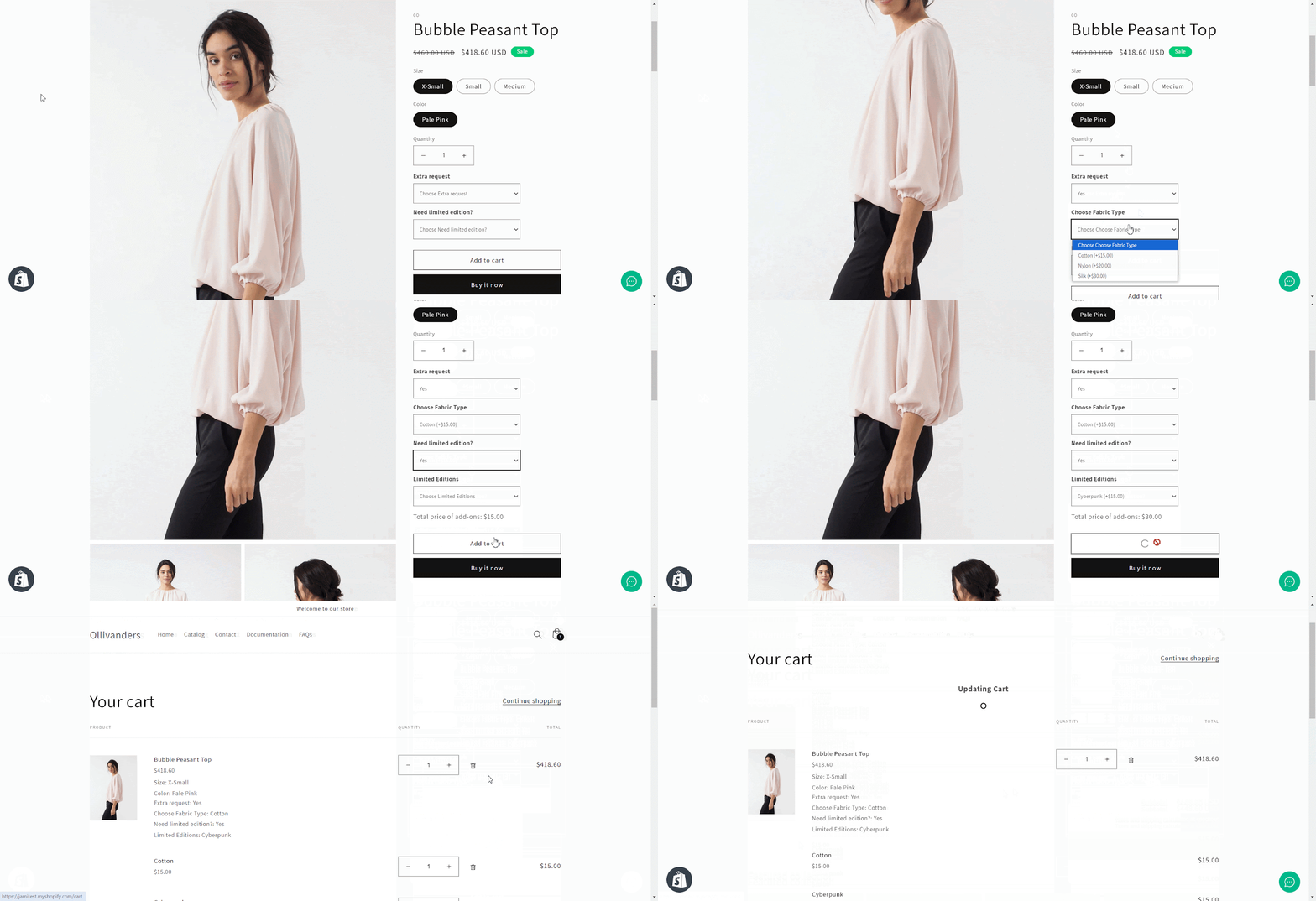
Once your option set includes all the fields and settings you need, simply assign the option set to the relevant product(s). EasyFlow allows reusable option sets, meaning you can attach the same “Holiday Gift Options” set to multiple products (no need to recreate it each time).
Now, save and refresh your storefront to see it in action. That is it! This powerful approach to Shopify product personalization ensures you can adapt each season and keep boosting those sales.
🚀 Ready to Boost Your Seasonal Sales?
Seasonal peaks do not have to be a collection of generic discounts only. You can improve seasonal sales on Shopify stores by offering something memorable: personalized products with smart options.
Whether it is an engraved holiday gift or a bundled New Year’s deal – sell an experience, not just a product. By implementing custom product options for different seasons, you will not only see a higher average order value but also create joyful customer moments that set your store apart.
If you found this blog helpful, please subscribe for more expert guides, tutorials, and tips on unlocking the full potential of your Shopify store.