

Picture this: a customer orders a personalised anniversary gift on Monday and needs it by Friday. Your product page never asked when they needed it, so the order goes out on your normal schedule and arrives on Saturday. The anniversary has passed, the customer asks for a refund, and you have lost them for good.
A date picker lets customers choose their delivery, pickup or booking date right on your Shopify product page. For merchants, that one field means fewer failed deliveries, fewer “when will it arrive?” emails, better production planning and even extra revenue per order.
Most Shopify stores that sell time-sensitive products still collect dates the hard way: a note at checkout, a follow-up email, or a guess. Customers pick Sundays you do not deliver on, forget to mention the event date, or order a cake for tomorrow when you need three days. Every one of those orders costs you time, money or a customer.
In this post, we will look at exactly how a date picker helps your store, which businesses gain the most, and how EasyFlow lets you add one with full control over which dates customers can choose.
A Quick Summary/TL;DR
- A Shopify date picker lets customers choose their delivery, pickup or booking date on the product page.
- Merchants get fewer failed deliveries, fewer support emails, protected lead times and easier production planning.
- You can charge extra for scheduled delivery and sell bookable products like workshops and rentals.
- EasyFlow adds a date picker to any product; EasyFlow PRO lets you block weekdays, specific dates and public holidays so customers only pick dates you can fulfil.
What Is a Shopify Date Picker And How Does It Work?
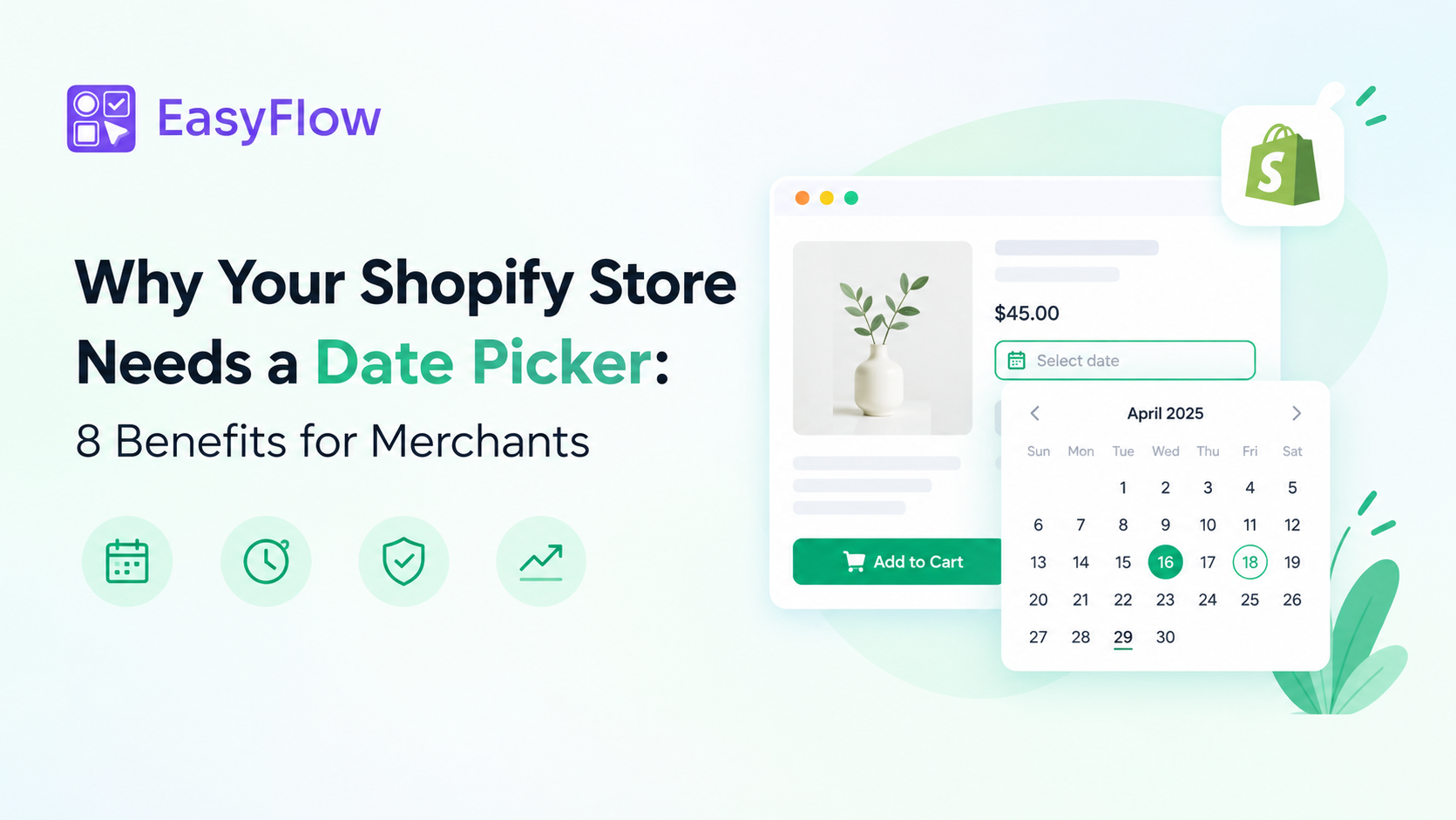
A Shopify date picker is a calendar field on your product page. Before a shopper adds a product to the cart, they open the calendar and choose the delivery, collection, or booking date. The order saves that date, so you know exactly when each customer expects it.
Here is how it works in practice. First, you add the date picker to your products and set rules for which dates are available, such as the earliest date you can deliver, the days you are closed and public holidays. Next, the shopper sees only those available dates in the calendar and picks one. Finally, the chosen date is attached to the cart item and carried through to the order in your Shopify admin, where your team can plan and fulfil it.
8 Ways a Date Picker Helps Shopify Merchants
A date picker looks like a small field on your product page, but it affects every part of your store, from checkout and customer support to production and delivery. Here are eight ways it saves you time, protects your reputation and helps you earn more from every order.
1. Fewer Failed And Missed Deliveries
When customers can pick any date, some will choose days you can not deliver. With EasyFlow’s date availability rules, closed weekdays, public holidays and fully booked days are simply greyed out. Customers can only pick dates you can actually fulfil, so fewer orders arrive late or bounce back. Pair it with Shopify’s own local delivery or local pickup settings, and customers choose both how and when they get their order.
2. Fewer Support Tickets And Follow-up Emails
A missing or unclear date turns into an email thread: “When do you need this?”, “Can you do Saturday instead?” Capturing the date on the product page, and making it a required field, means you get the answer before the order is placed. Your team spends time fulfilling orders, not chasing details.
3. Protected Lead Times for Made-to-Order Products
If a cake takes two days or a custom gift takes a week, same-day orders are a problem. Setting the earliest selectable date to a few days from today builds your preparation time into the calendar. The window rolls forward automatically every day, so it never needs manual updates.
4. Easier Production And Staff Planning
The chosen date travels with every order into your Shopify admin, and can appear on packing slips and confirmation emails too. You can see how many orders are due on each day and plan stock, staff and courier pickups ahead, instead of reacting to surprises.
5. Extra Revenue Per Order
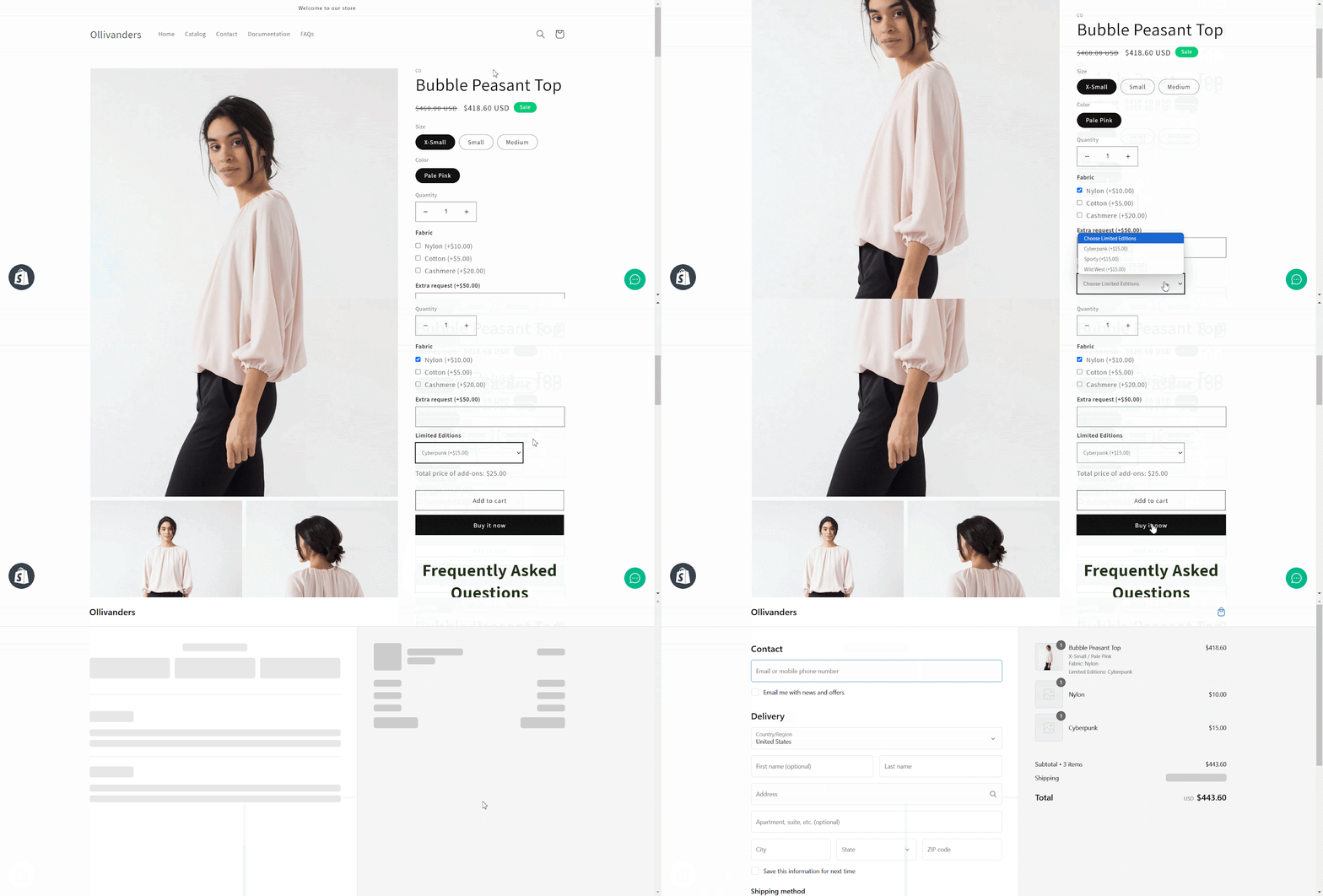
Scheduled delivery is worth paying for. With EasyFlow, you can attach an add-on price to the date option, for example $5 for a chosen delivery day, or link an add-on product. It is an easy upsell that also covers the cost of precise scheduling.
6. New Ways to Sell: Bookings, Rentals And Services
A date picker turns an ordinary product into something bookable. Workshops, classes, equipment rentals, tours and service appointments can all be sold as Shopify products, with the date captured at purchase. No separate booking system needed for simple date-based sales.
7. A Smoother Buying Experience That Builds Trust
Customers buying for a birthday or wedding want certainty. Seeing a clear calendar with only available dates, plus a short help note like No deliveries on Sundays, answers their biggest question before checkout. Less doubt means less hesitation at the add-to-cart button.
8. Control During Holidays And Peak Seasons
Valentine’s Day, Mother’s Day and the festive season bring rushes and closures. EasyFlow lets you block a full year of public holidays in one click and use fixed-date windows for seasonal campaigns or one-off events. You stay in control of capacity when it matters most.
Which Shopify Stores Benefit Most?
Any store where when matters as much as what. Here is how different businesses put a date picker to work:
| Business type | What customers choose | What the merchant gains |
| Florists, bakeries, gift boxes | Delivery date | On-time deliveries for birthdays and occasions |
| Meal kits and fresh food | Delivery day | Orders matched to cooking and courier schedules |
| Local shops with click-and-collect | Pickup date | Orders ready when customers arrive |
| Workshops, classes, tours | Session or booking date | Bookable products without a separate booking tool |
| Equipment and outfit rentals | Rental start date | Clear availability and fewer double bookings |
| Personalised and made-to-order gifts | Event date | Production planned around each customer’s deadline |
How Can You Add a Date Picker to Your Shopify Store?
If your store fits any of the use cases above, the next question is how to add a date picker. Shopify themes do not include a date field on product pages by default. You could hire a developer to build one with custom code, but that takes time, costs money and still needs a developer every time your rules change.
The faster route is a third-party product options app from the Shopify App Store. These apps add extra fields to your product pages without any coding, and you manage everything from a simple dashboard.
EasyFlow Product Options is one of them. It is a Built for Shopify app that lets you add unlimited product options, including dropdowns, checkboxes, text boxes, image swatches, file uploads and date pickers. It also supports conditional logic to show or hide options based on a customer’s choices, price add-ons with multi-currency support, and bulk editing so you can apply option sets to many products at once.
Learn more in What Is EasyFlow And How Does It Work?
Among these features, the Date Picker is built for stores that sell by date. Here is what it lets you control.
How EasyFlow Gives You Full Date Control
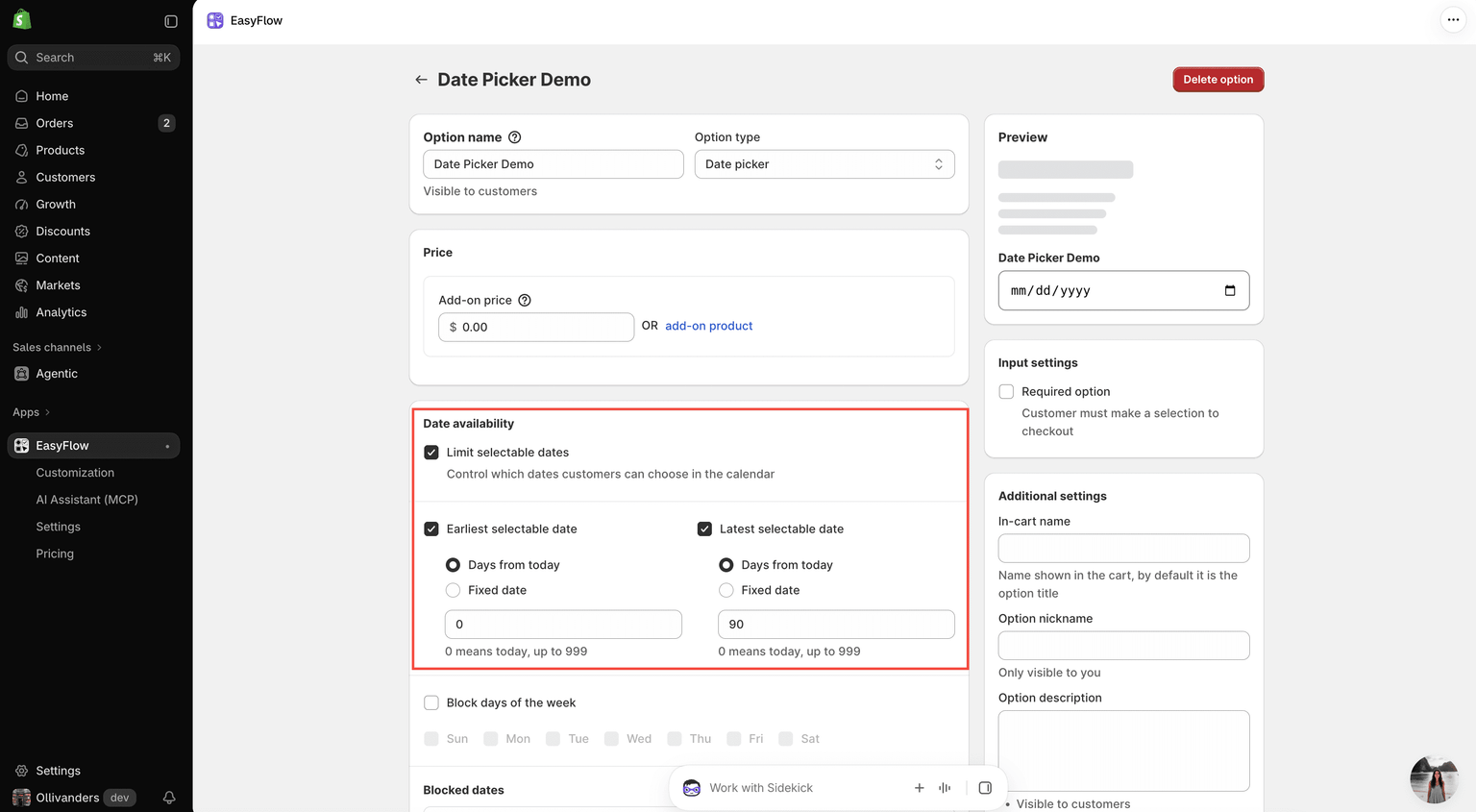
EasyFlow’s Date Picker adds a calendar field to any product, and its Date availability settings decide which dates customers can pick:
- Earliest and latest dates: A rolling window (for example, 2 to 30 days from today) or fixed dates for seasonal sales.
- Blocked weekdays: Grey out days you do not deliver or open, such as Sundays.
- Blocked dates: Close individual days for stock-takes, staff holidays or fully booked dates.
- One-click public holidays: Pick your country and year, then block the holidays you do not trade on.
- Live summary: See at a glance how many days are selectable, for example 17 of 32 days.
- Add-on pricing, required field and help text: Charge for scheduled delivery, make the date mandatory and explain your rules.
Good to know: The Date Picker option is free for all EasyFlow users. Date availability controls are part of EasyFlow PRO.
Get Started in 4 Steps
You do not need a developer or any code to add a date picker to your store. Once EasyFlow is installed, these four steps take you from a blank option to a live date field on your product pages.
- In the EasyFlow app, click Create option and choose Date picker.
- Name it (for example Delivery Date) and set an add-on price if you want to charge for it.
- Under Date availability, tick Limit selectable dates and set your window, blocked weekdays, blocked dates and public holidays.
- Save, add the option to an option set, assign it to your products and make sure the EasyFlow app embed is on in your theme.
For a full walkthrough of every setting, follow our detailed step-by-step tutorial: How to Configure Date Picker in Shopify with EasyFlow.
Tips to Get the Most From Your Date Picker
Adding a date picker is the easy part. How you set it up decides how much time it saves and how many orders it protects. These six tips help you turn it from a simple calendar field into a dependable part of your fulfilment process.
- Match your real lead time. Set the earliest date to cover preparation and shipping, not just “today”.
- Keep the window manageable. A 14 to 60 day window is far easier to fulfil than a full year of open dates.
- Block holidays up front. Add the year’s public holidays in one go, then untick any day you still trade.
- Make the date required. A missing delivery or booking date always turns into a follow-up email.
- Explain unavailable dates. Use the option description to say why, such as No deliveries on Sundays.
- Review before peak season. Check your blocked dates ahead of Valentine’s Day, Mother’s Day and the holiday rush.
Turn Dates Into a Competitive Advantage
For stores selling gifts, fresh food, bookings or made-to-order products, the delivery date is part of the product. A date picker captures it up front, keeps customers inside your real capacity and gives your team a clear schedule to work from. The result: fewer failed deliveries, fewer support emails, happier customers and a new upsell on every order.
EasyFlow makes it simple to add a date picker to any Shopify product and control exactly which dates customers can choose. Install EasyFlow and upgrade to PRO to unlock full date availability control. Need a hand? Browse the EasyFlow docs or reach out to our support team.